Decision intelligence for field service
Every visit planned. Every job proven.
From the customer request to the signed service report and the invoice, in one connected platform. Dispatchers, technicians, managers, and customers work on the same service order.
Contracts and SLAs checked before dispatch, evidence captured on site, costs and margin known at closing.
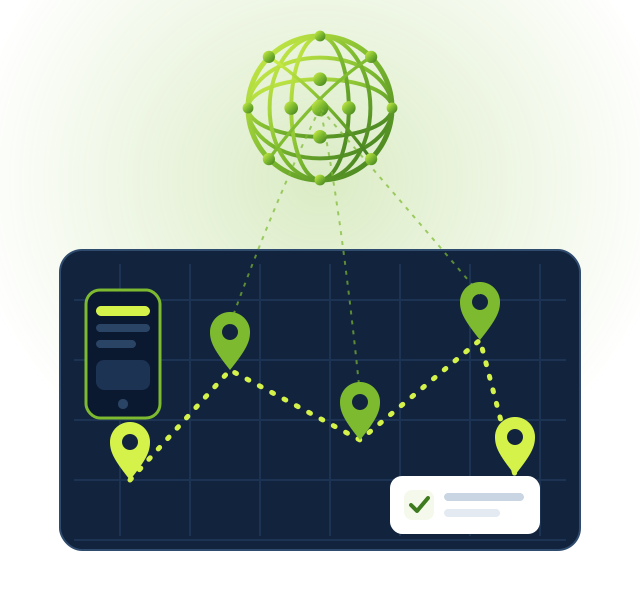
The Field Service platform
From request to report. One connected system.
Replace phone calls, spreadsheets, and paper forms with a platform built for companies that send people to install, maintain, inspect, and repair, at the customer's site.
Requests become service orders
Requests arrive from the helpdesk, the portal, or other systems and become service orders with category, priority, location, and equipment. Each order groups its visits, keeps a dated audit log, and closes only when every visit is done.
Dispatch that checks before it assigns
Assigning a technician checks overlapping visits, leave, skills, and certificates. A manager can override with a reason; every reschedule keeps its reason and history.
An app for the technician
Technicians see their visits on the phone, tell the customer they are on the way, start and finish the work, fill worksheets, take photos, and record the parts used.
Worksheets that guide the work
Checklists per service category with expected ranges that warn, mandatory photo items, and a completion gate before the visit can be closed. The completed worksheet is frozen as a PDF.
Customer acceptance with evidence
The service report is frozen with a fingerprint and accepted by confirmation, drawn signature, signed upload, or e-mail one-time code on Decision Sphere eSign. Refusals and reservations are reviewed.
Equipment and its history
Register equipment with manufacturer, model, asset tag, warranty, and criticality, and see every visit, part, and finding of each one.
The service cycle
From the first call to the invoice. Without rework.
Each step feeds the next one, so what is agreed in the contract reaches the dispatch and what is done on site reaches the invoice.
Receive and qualify
Register the request, check the equipment, the warranty, and the contract, and decide the coverage before anyone is sent.
Plan and dispatch
Assign the right technician or subcontractor, plan the day's route on the map with driving times, and let the customer confirm the appointment.
Execute on site
The technician follows the worksheet, records evidence and parts, and collects the customer's acceptance at the end of the visit.
Close and invoice
Validate the work, close the order, and invoice the time and materials, or consume the contract allowance.
In the field
The service order in the technician's pocket.
A mobile portal app that works in the phone's browser, in English, Portuguese, or Spanish. Each technician sees only their own visits.
My visits
Today's and upcoming visits with address, contact, access instructions, and the customer's equipment.
One-tap field actions
On the way, arrived, start, pause, and finish. The customer is told when the technician is on the way, and every action is time-stamped.
Photos, parts, and notes
Attach photos to the worksheet, record parts used or requested, and leave notes for the office.
Acceptance on site
Show the frozen report and collect the customer's acceptance or signature before leaving.
Routes for the day
The visits of the day in an optimized order, with driving times applied to the schedule.
Subcontractors in the same flow
Approved partners execute outsourced visits with the same worksheets and evidence, and the office validates before closing.
Contracts and SLA
Promises that the system keeps track of.
Service contracts, warranties, and service levels are checked automatically, so nobody sends a technician the customer did not pay for, or misses a deadline without knowing.
Contracts with allowances
Hours or visits included per period, consumed by each service order, with balance and renewal followed automatically.
Coverage decided before dispatch
The system suggests coverage from the warranty, the contract, or the category. Uncovered work needs an approved quotation before it is scheduled.
SLA clocks in working time
Response, arrival, and resolution clocks per contract, customer, category, priority, and location. Pauses are justified and audited; warnings and breaches escalate to the right people.
Billing follows the contract: time-and-materials orders become sales orders; covered work consumes the allowance.
For your customers
Customers who know what is happening.
Every customer follows their own service orders in a secure portal, and receives the right message at the right moment.
Service orders on the portal
Visits, appointment confirmation or change, files and messages, service reports, quotations, and invoices of each order.
Notifications that save calls
E-mails when the visit is scheduled, rescheduled, when the technician is on the way, and when the work is completed.
Acceptance by secure link
The customer accepts the service report from a link, without needing a password, and the evidence is stored with the order.
Partners and purchasing
Subcontractors and suppliers in the same flow.
Bring outsourced work and parts purchasing into the service order, with the controls you already apply.
Subcontractor profiles
Scope, service area, insurance and contract validity, documents, and performance, checked before each assignment.
A purchase order per outsourced visit
Each subcontracted visit creates its purchase order with the agreed price and date, and is validated internally before closing.
Parts from the Decision Sphere Marketplace
Requested parts become requests for quotation linked to the service order, including catalogs from the Marketplace.
Insight
Know what each job really earned.
Costs and margin are calculated per service order and followed in dashboards, so decisions rest on numbers instead of impressions.
Cost and margin per order
Labor, travel, parts, and subcontracting against invoiced or ordered revenue, visible to managers only.
Operations and margin dashboards
Open orders by stage with SLA first, weekly volume by category, technician activity, coverage, customer acceptance, and margin by customer and month.
Optional AI assistance
Through the Decision Sphere AI Bridge: triage suggestions, a customer-ready summary of the report, and lessons learned per equipment. Off by default, with personal data redacted; a person always decides.
Integrations
Open to the systems around you.
A signed, idempotent API lets other systems submit requests, follow their status, ask for appointments, and receive approved reports, with status events pushed back automatically.
Built for the Decision Sphere ecosystem
Decision Sphere Condomínios sends maintenance requests to a field service provider and follows them to the approved report, without retyping.
Signed and traceable
Each client has its own key; every request is signed, time-stamped, and logged, and repeated requests are never processed twice.
Events with retry
Status changes are pushed to the client's callback and retried until delivered.
Security and LGPD
Each person sees only what is theirs.
Privacy and traceability are part of the product, not an afterthought.
Roles by design
Dispatchers, technicians, managers, subcontractors, and customers each have their own access; financial data stays with managers.
Evidence that cannot be changed
Frozen worksheets and service reports with a fingerprint, immutable SLA clocks, and audit logs of every relevant change.
LGPD-minded processing
Customer data is used only to deliver the service; AI features are off by default and redact personal data when enabled.
Start where it matters
Your operation. A practical first step.
Understand your operation
Map your services, contracts, teams, partners, and the questions your customers and managers ask.
Start with one service line
Configure categories, worksheets, and SLAs, register the equipment, and run the first visits with real technicians.
Expand with confidence
Bring contracts, subcontractors, the customer portal, and integrations in, and follow everything in the dashboards.
Integrations, rules, and rollout are defined with each company during deployment. Offline work on the technician app is under study and is not part of this version.
Let's talk about your operation
A clearer field operation starts with a conversation.
Tell us about your company, your services, and your teams in the field.
Business inquiries only. Please do not send your customers' personal data through this form.